Related Tutorial with source code
Stop watch GUI (for counting time): http://ygchan.blogspot.com/2012/05/python-stop-watch-timer-source-code.html
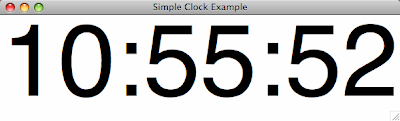
import Tkinter as tk
import time

def update_timeText():
    # Get the current time, note you can change the format as you wish
    current = time.strftime("%H:%M:%S")
    # Update the timeText Label box with the current time
    timeText.configure(text=current)
    # Call the update_timeText() function after 1 second
    root.after(1000, update_timeText)

root = tk.Tk()
root.wm_title("Simple Clock Example")

# Create a timeText Label (a text box)
timeText = tk.Label(root, text="", font=("Helvetica", 150))
timeText.pack()
update_timeText()
root.mainloop()
Reference: http://docs.python.org/library/time.html#time.strftimeReference: http://docs.python.org/library/string.html#formatstrings
